
Find the cause. Ship the fix.
Claron follows the bug from the page to the line of source that caused it, explains why, and writes the change.
Start an investigation from a report and review its explanation, affected files and suggested diff. Apply it in your local checkout with the CLI, raise a pull request, or let your own coding agent read the evidence through Claron's MCP server.
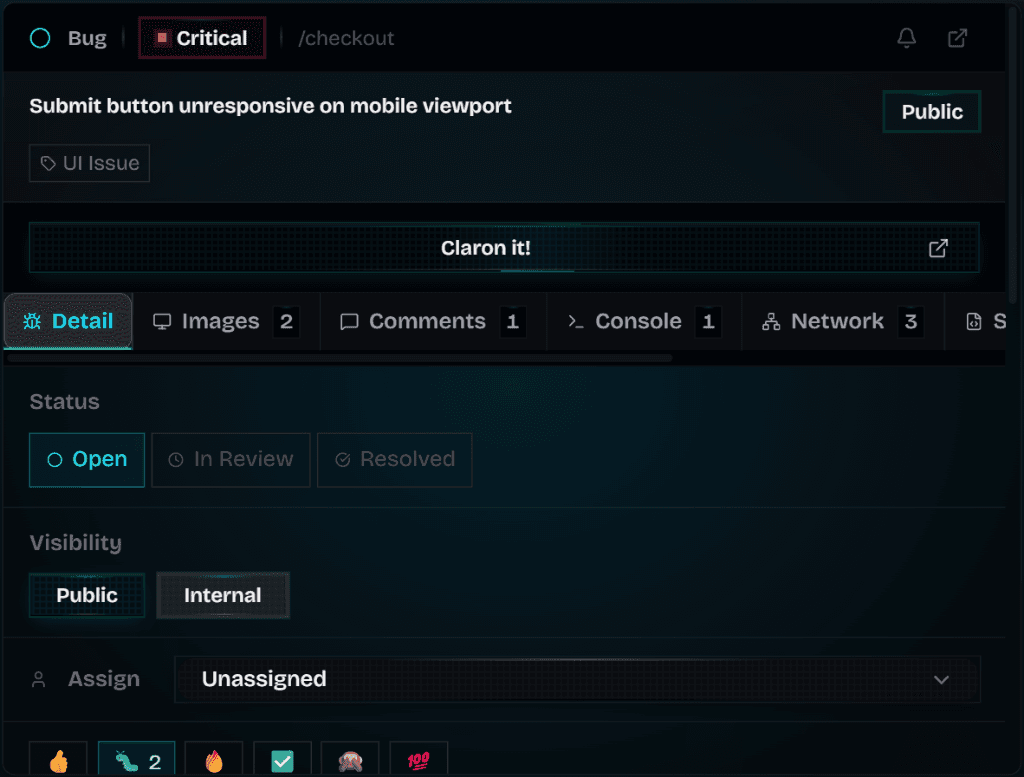
An investigation built on the report
The investigation reads the report's evidence: screenshot, requests, source and backend context where they were captured. Connect the right repository first and give it useful reproduction steps.
A suggestion is not proof. Read the explanation and the diff yourself before applying anything.
Apply it locally with the Claron CLI
Authenticate, link the project, review the diff, pass the preflight checks and confirm. The CLI brings the patch into the clone on your own machine. It does not commit, deploy or merge.
Or raise a pull request
With write access to the repository, choose Raise Pull Request and review the branch, title, description and draft option before confirming.
Your own agent reads the bug
Claron's MCP server hands your coding agent the whole investigation: the issue, console, network, session, screenshots and backend references. It is read-only and limited to what your role can see. Settings provides ready configurations for Cursor, Claude Code and Codex.
Then check the result
Build or deploy the accepted change, repeat the report's steps and request human verification on that version.
Questions about ai fixes, cli and mcp
Straight answers, including the limits.
Set it up
More of Claron
- Visual bug reportingReport a bug by clicking the page. Claron attaches a screenshot, console logs, network requests, element and source context to the report.
- Session replayReplay the visit behind a Claron bug report with clicks, console and network in sync. Inspect the captured DOM, export the recording, share it safely.
- Backend debuggingFollow a reported request into your server: the functions it called, the branches it took, the error it threw. Encrypted, and unlocked only on your devices.
- Live website reviewsReview a website together: invite clients as guests, guide everyone to the same page and collect visual bug reports with their evidence attached.
- Review rounds and sign-offCollect sign-off on a specific build: invite reviewers to selected pages, record each approval or change request, then verify fixes on the fixed version.
Weighing up other tools?
See how Claron compares with Marker.io, BugHerd and Sentry across the whole workflow.