
Bug reports that bring the evidence with them
Testers click the element, right there on the running page.
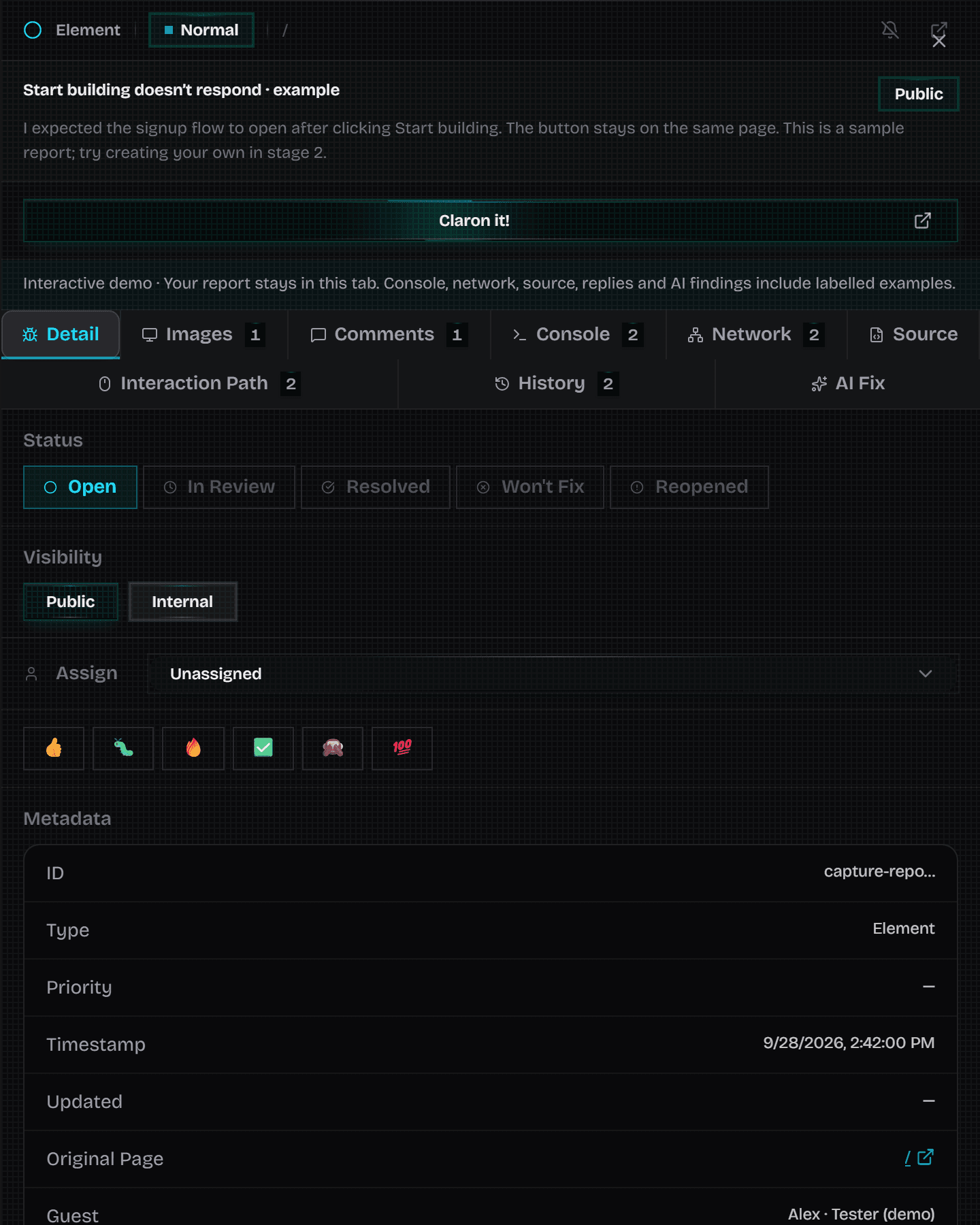
Claron pins the report in place with its context attached: no screenshots pasted into chat, no vague descriptions. Developers open a report and find the page, the element and what the browser recorded around it.
Four ways to report a bug
Pick the report type that matches the problem. Each one is an issue your team can assign, discuss and track.
- Point: a problem at a position on the page. Drag to mark a rectangular area instead.
- Element: a problem with a specific button, field or other element, selected on the page.
- Console: an error or message, reported straight from the console evidence.
- Network: a failed or unexpected request, reported with its request context.
What a report can include
Depending on what was captured and which capabilities are enabled, a report can include a screenshot, the recorded activity around it, console logs, network requests, element context and source attribution.
Claron shows what was actually captured. It does not promise every log from the whole session, so reporters still add what happened, what should happen and the steps that led there.
On a preview or on your live site
Connect a repository and Claron builds a hosted preview your team reviews in the browser. For a site you already host, report right on the live pages with the Claron browser extension, using approved capture permissions.
Add the Claron SDK to your build and every report points straight back to the source element.
Public reports for clients, internal notes for the team
Clients and guests see the public reports in their review, including reports made by other people. Internal annotations and comments stay with project owners, developers and testers.
From report to fix
Reports move through Open, In Review, Resolved, Reopened and Won't Fix. Send one to Linear, Jira, Trello and more when your team is ready. Reports with saved reproduction context offer Claron It!, which walks you back through the captured steps to the problem.
Questions about visual bug reporting
Straight answers, including the limits.
Set it up
More of Claron
- Session replayReplay the visit behind a Claron bug report with clicks, console and network in sync. Inspect the captured DOM, export the recording, share it safely.
- Backend debuggingFollow a reported request into your server: the functions it called, the branches it took, the error it threw. Encrypted, and unlocked only on your devices.
- Live website reviewsReview a website together: invite clients as guests, guide everyone to the same page and collect visual bug reports with their evidence attached.
- Review rounds and sign-offCollect sign-off on a specific build: invite reviewers to selected pages, record each approval or change request, then verify fixes on the fixed version.
- AI fixes, CLI and MCPClaron reads a bug report's evidence, explains the cause and proposes a diff. Apply it with the CLI, open a pull request, or hand it to your agent via MCP.
Weighing up other tools?
See how Claron compares with Marker.io, BugHerd and Sentry across the whole workflow.